Hello patient folk,
Would it be possible to post a question (an : “so how would you do…”) to the code from this (old) chapter? Or is it “out of bounds” to ask a technical question on code from an ancient edition? Specifically, how would one make one of the objects totally reflective (maybe one of the spheres) so that it would reflect other objects in the scene?
Pete
1 Like
The 2nd edition code for ray tracing in MPS is completely outdated. If you look at Metal Performance Shaders | Apple Developer Documentation you’ll see that MPSRayIntersector etc was deprecated in iOS 17.0. Ray tracing has been expanded and later devices (from A16/M3 chip) have hardware-accelerated ray tracing.
The 3rd and 4th edition have a naive GPU ray-tracing section, which just uses compute shaders.
The 5th edition dropped ray tracing altogether, because there was too much other Metal stuff to cover.
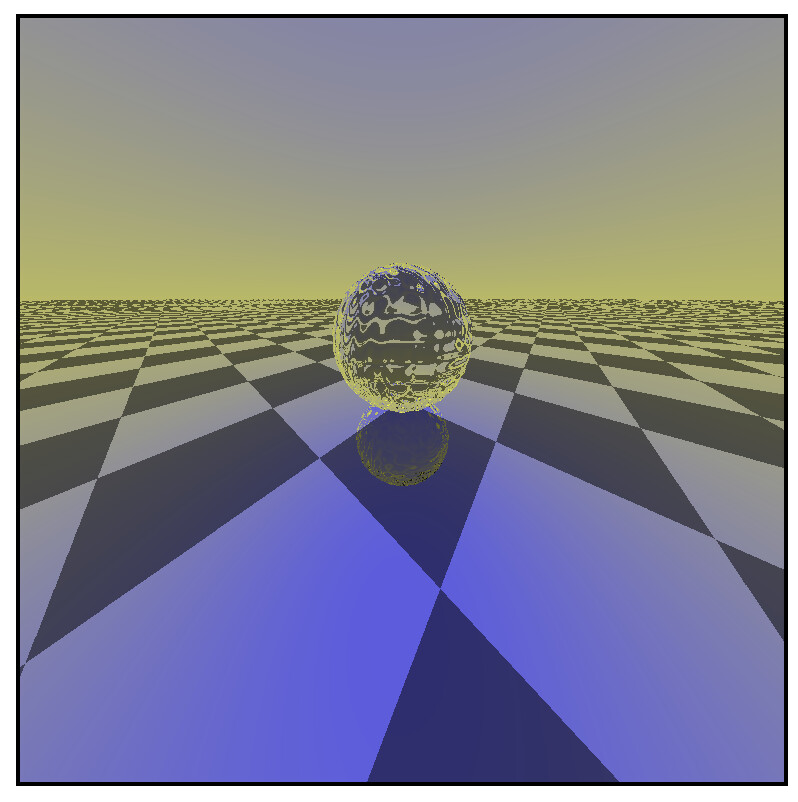
My suggestion is to download and examine the code for the 4th edition from Github. Chapters 27-29 contain ray tracing code. This is a shot from Chapter 29, reflection and refraction.
Here’s the link for the branch 4.0: GitHub - kodecocodes/met-materials at editions/4.0 · GitHub
In addition, watch the Apple Developer ray tracing videos from 2020 onwards, which might explain things more. I haven’t kept up with ray tracing, as that’s not my interest.
1 Like
Caroline,
Yep, thanks. When through that stuff as well (and thanks for that too!).
One more favor — I’ve started going through the various WWDC Ray Tracing videos and it appears that you guys “might” have based the tutorials on some of the WWDC samples. Could you tell me what Editions of your book is based on what WWDC videos. I ask because the stuff changed a lot/they added a lot, and I wanted to kind of “track” the WWCD content and your book edition content so I can see where I have to go (I get confused SOOO easily, and I’m just not a great Objective-C to Swift translator)
Thanks in advance!
Pete
1 Like
I’m afraid there is no correlation, because after dropping the deprecated MPS ray tracing chapter, we didn’t use the Apple stuff, just generic GPU ray tracing, without acceleration structures or Metal function pointers.
This was the video available to us at the time in 2018/19, but Apple have dropped it because it’s deprecated. https://devstreaming-cdn.apple.com/videos/wwdc/2018/606id8hzoex3kf/606/hls_vod_mvp.m3u8
The chapter in your book should generally work, and that linked video should help with concepts about building acceleration structures. Building on that, I would suggest you go into the Apple Developer app and search for “ray tracing”. That will bring up the eight videos in reverse year order.
1 Like